 SheetFlip
Long lists in.Clean tables out.
SheetFlip reshapes CSV, Excel and LibreOffice files: key/value rows become columns, and back again. Even with millions of rows, entirely on your computer.
15 days free · Works offline · One-time payment
Everything a messy export needs
Built for millions of rows
Files are read in chunks and processed in the background. The window stays responsive and you can cancel at any time.
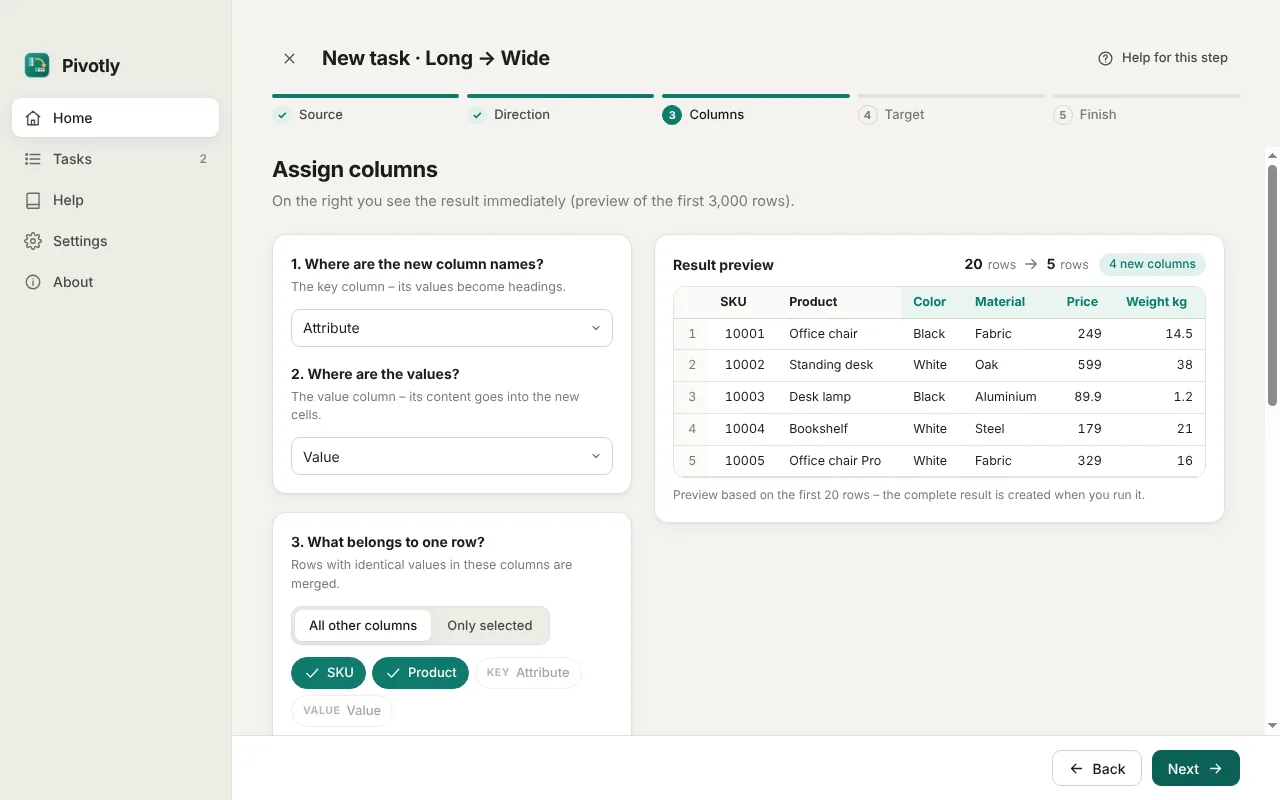
A wizard with live preview
Five clear steps. You see the result before you save, with row counts that show at once whether the grouping is right.
Save once, repeat forever
Tasks remember column names, not positions. Next month's export is converted with one click.
CSV, Excel and LibreOffice
Separator, encoding and decimal format are detected automatically. Results beyond Excel's row limit are split across sheets.
Clear rules for duplicates
First value, last value, join, separate columns, sum or count. You decide what happens when a key appears twice.
Private by design
No cloud, no upload, no tracking. Works offline, in light or dark mode, in 7 languages.
Your data never leaves your computer.
SheetFlip is a real desktop app, not a website in disguise. Every file is opened, converted and saved on your own device.
No cloud, no upload
Your spreadsheets are never sent anywhere. There is no server that could see, store or lose your data.
Works without internet
Convert files on a train, on a plane or inside a closed company network. SheetFlip does not need a connection to work.
No sign-up, no tracking
No account with us and no analytics in the app. You buy it once in the Microsoft Store, and that's it.
Made for sensitive data
Customer lists, prices, payroll or health data stay confidential. No third party processes your files, which keeps GDPR simple.
SheetFlip makes no internet connection. Purchase, trial and license are managed by the Microsoft Store; the app itself sends no data.
Three steps to a clean table
Open your file
Drag a CSV, XLSX or ODS file into the window. SheetFlip shows a preview and detects the format.
Assign the columns
Pick the key column and the value column. The live preview shows the result as you click.
Save and repeat
Choose format and folder, then save the conversion as a task to run it again next time.
See it in action
Made for everyday data chores
Shop and ERP exports
Product attributes stored as rows become one column per attribute, ready for your shop import.
Surveys and forms
Question/answer pairs become one row per respondent, ready for analysis.
Reports and BI
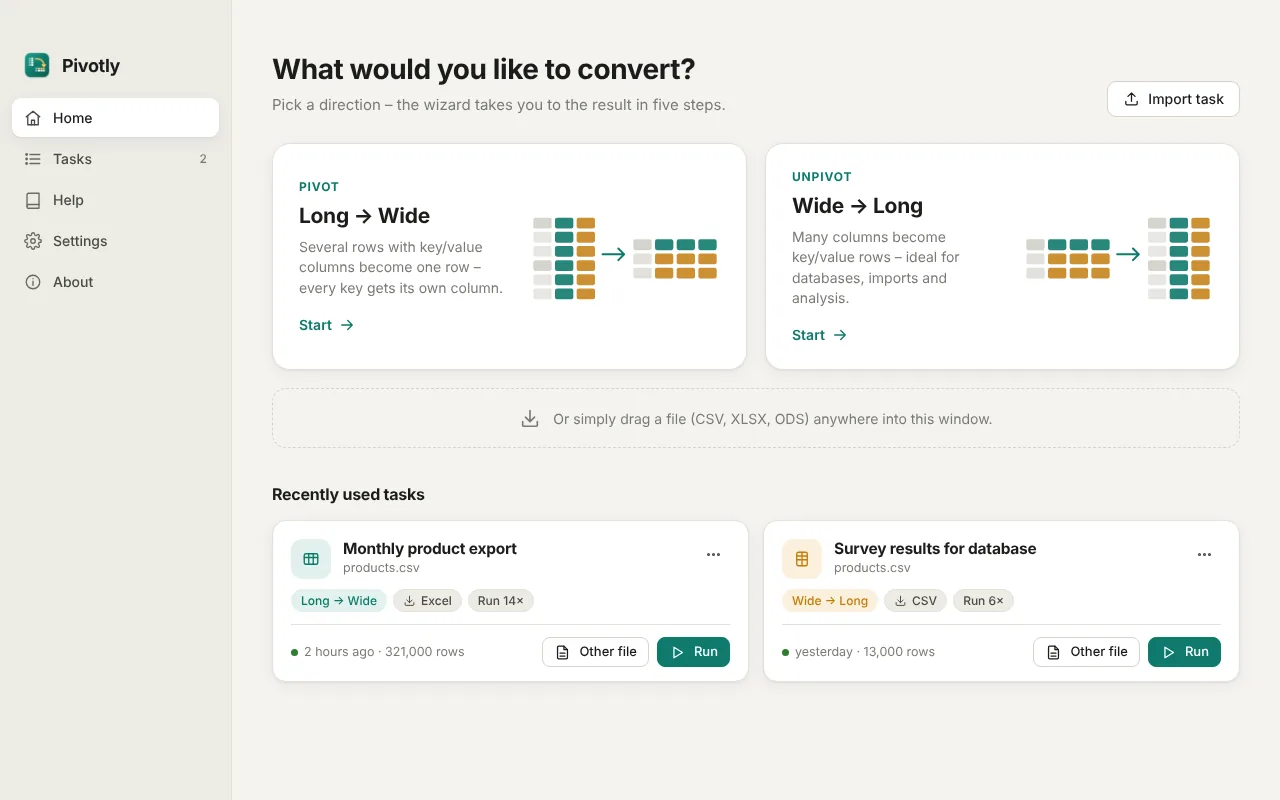
Wide month columns become long rows for Power BI, Tableau or a database.
Data migration
Move data between systems that store the same information in different shapes.
One price. No subscription.
Try every feature for 15 days. If SheetFlip saves you time, buy it once and keep it.
- No license key: tied to your Microsoft account
- Windows 10 and 11
- Unlimited file size and saved tasks
- All updates for version 1.0
- Email support
Purchase, invoice and refunds via the Microsoft Store. Price incl. VAT in your local currency.
Questions and answers
What does “pivot” mean?
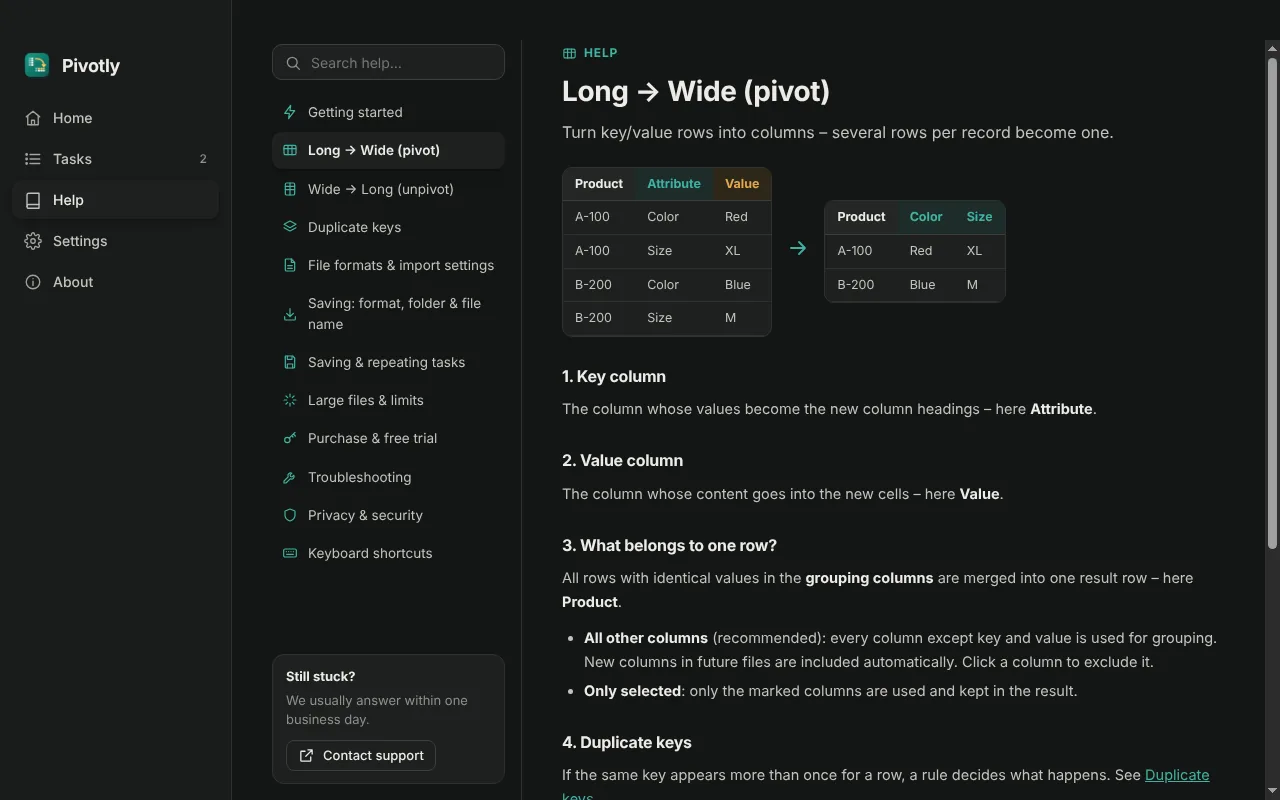
Pivoting turns rows into columns. If your file stores one attribute per row (product, attribute, value), SheetFlip creates one row per product with one column per attribute. Unpivoting does the opposite.
Do I need Excel?
No. SheetFlip reads and writes CSV, XLSX and ODS on its own. The results open in Excel, LibreOffice, Numbers and Google Sheets.
How large can my files be?
There is no fixed limit. SheetFlip processes files in chunks; two million rows take about five seconds on a normal laptop. Excel and ODS allow 1,048,576 rows per sheet, so larger results are split across sheets automatically, and CSV has no limit at all.
Is my data uploaded anywhere?
No. All files are converted locally. SheetFlip makes no internet connection.
What happens after the trial?
After 15 days, SheetFlip starts again once you have bought it in the Microsoft Store – pay once, no subscription. Your saved tasks are kept.
Can I use SheetFlip on a new computer?
Yes. Sign in to the Microsoft Store on the new computer with the same Microsoft account and install SheetFlip from your library. No license key needed.
Is SheetFlip available for Mac?
Not yet – SheetFlip is currently available for Windows 10 and 11 only. Whether a Mac version follows depends on demand. If you would like to use SheetFlip on a Mac, drop us a line at [email protected] with the subject “Mac”.
Ready for your next export?
Download SheetFlip and try it free for 15 days.